We use our own cookie and analytics tools to understand how people find and use Calorize. If you came from a Google ad, we tell Google when you sign up or buy, to measure that ad. There are no ads inside the app. Your choice is remembered for a year.
Who this is for
- You have a smartwatch running Wear OS 3 or newer.
- You use Calorize on your phone or in a browser — that's where you generate the pairing code.
The Calorize watch app is standalone: once paired, it talks to Calorize directly and works even when your phone isn't nearby.
Supported devices
Any watch on Wear OS 3 or newer, including:
- Samsung Galaxy Watch — Watch4, Watch4 Classic, Watch5, Watch5 Pro, Watch FE, Watch6, Watch6 Classic, Watch7, Watch Ultra, Watch8, Watch8 Classic.
- Google Pixel Watch — Pixel Watch, Pixel Watch 2, Pixel Watch 3, Pixel Watch 4.
- OnePlus — Watch 2, Watch 2R, Watch 3.
- Xiaomi — Watch 2, Watch 2 Pro.
- Mobvoi — TicWatch Pro 5, Pro 5 Enduro, Pro 5 Atlas.
- Fossil — Gen 6 (on Wear OS 3).
Older Wear OS 2 watches (for example Fossil Gen 5 or first-generation TicWatch) are not supported.
How to check your version: on the watch, Settings → System → About → Versions → Wear OS version. If it is below 3.0, update the watch first.
Using an Apple Watch instead? See Apple Watch — voice food logging.
Installing the app on the watch
- On the watch, open the Play Store (app list → Play Store).
- Search for Calorize.
- Tap Install.
If your watch is paired to an Android phone, installing Calorize on the phone often offers to install the watch app automatically as well.
First-time pairing
You only need to do this once. After that, the watch remembers your account.
- Open Calorize on the watch — you will see a screen asking for a code.
- On your phone, or in a browser, open Calorize → Profile → the Watch section.
- Tap Generate code — a 6-digit code and a timer appear. The code is valid for 10 minutes.
- Enter those 6 digits on the watch — pairing happens automatically.
- When it is done, you will see a large microphone button. Done ✅
You can pair several watches to one account. The list of paired watches is in the same place: Profile → Watch, where you can revoke any you no longer use.
Logging food from the watch
- Open Calorize on the watch (from the app list, the tile, or a watch-face complication).
- Tap the microphone button.
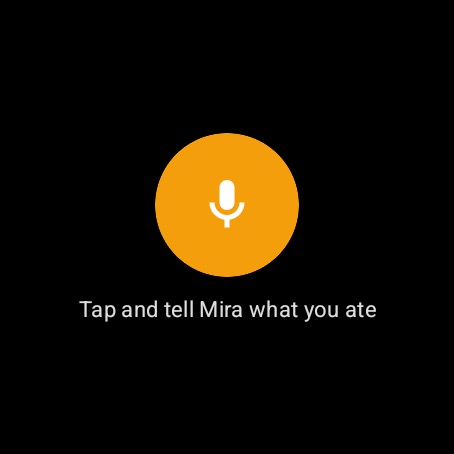
- Say what you ate, naturally:
- "200 grams of buckwheat and chicken breast for lunch."
- "Coffee with oat milk, no sugar."
- While you speak, the words appear on the watch screen — you can see straight away what was heard. If they don't (a weak connection, say), the recording is still sent and transcribed on the server.
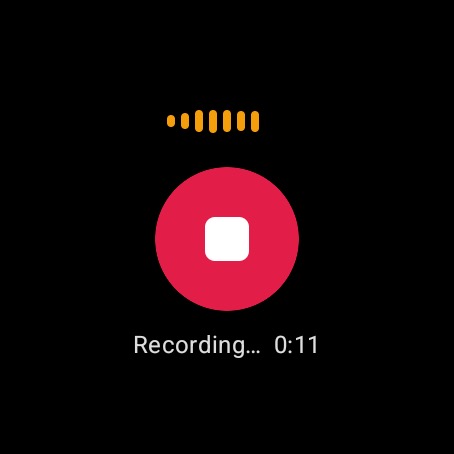
- Tap the red Stop button when you are done (or it stops on its own after 4 minutes). Or simply finish with “Mira, that’s all” — the note goes on its own a moment later; tap ✕ in that moment to cancel.
- You will see "Sending…" → "Mira is thinking…", then Mira's reply.

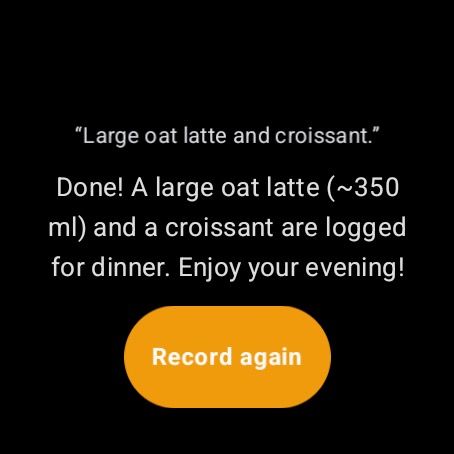
Mira picks the meal automatically based on the time of day — you do not need to choose breakfast, lunch, or dinner. If you have no connection, the recording is saved and sent automatically once you are back online.
Quick access: the Calorize tile
A tile lets you swipe straight to Calorize from your watch face — no digging through the app list. It shows a calorie ring (how much of today's goal you have eaten), today's protein, fat and carbs — each with a bar towards your goal — and a record button for one-tap logging.
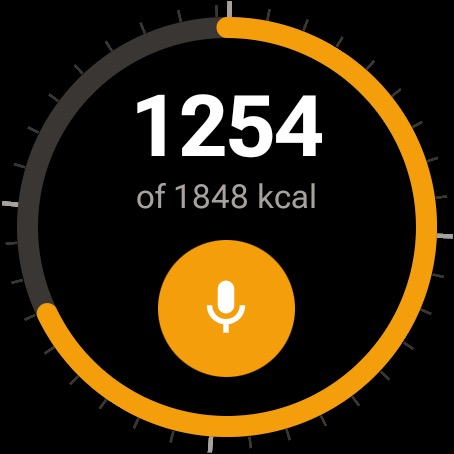
To add it:
- From the watch face, swipe left to the tiles and scroll to the end.
- Tap + (add tile).
- Pick Calorize.
Now a single swipe from your watch face gets you to the calorie ring and the record button.
Calories on your watch face
You can also put Calorize right on your watch face as a complication — a small indicator that shows today's calories without opening anything.
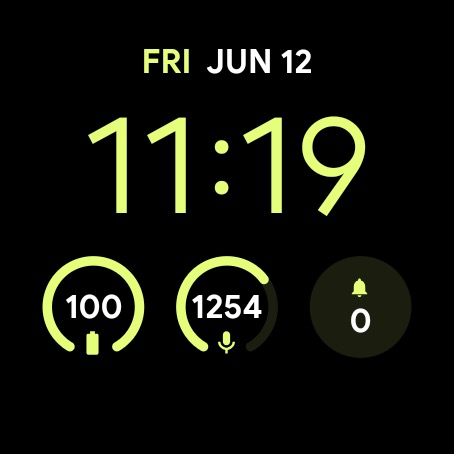
How to add it depends on the watch face, but it is usually:
- Touch and hold the watch face → Customize (or Edit).
- Swipe to the complication slot you want to change.
- From the list, pick Calorize (it shows up as "Calorize kcal").
Tap the complication any time to jump straight into recording.
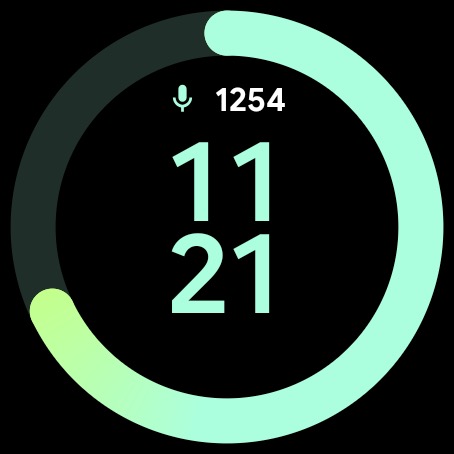
Some stock Samsung watch faces show Calorize as a plain number + icon rather than a ring. Faces from Google, Facer, and others draw the full calorie ring.
Limits
Voice requests from the watch and Mira chat on the web share the same daily allowance. Every dictation from the watch reduces what is left for chat on the phone or web, and vice versa.
One dictation from the watch costs 2 interactions — exactly what a voice message in the app costs: the first goes on turning speech into text, the second on Mira's reply. If speech recognition fails and nothing is logged, only the first is charged.
Details are in AI interaction limits.
Troubleshooting
- Calorize does not appear in the watch Play Store — make sure the watch is signed into your Google account and connected to the internet, and give it a few minutes.
- "Code invalid or expired" — generate a fresh code on your phone (Profile → Watch). Each code lasts 10 minutes.
- "Empty recording" / nothing recognised — speak a little longer and make sure the watch microphone is not covered.
- Calorize isn't in the complication list — not every watch face supports third-party complications; try another face (Google's default faces do).
- Pairing lost / asks for a code again — the watch was revoked or signed out; just pair again with a new code.